> homelab · build 05
Real HTTPS Without Opening a Single Port
Nginx Proxy Manager, one wildcard certificate proven through DNS, and lab names that only exist inside my house.
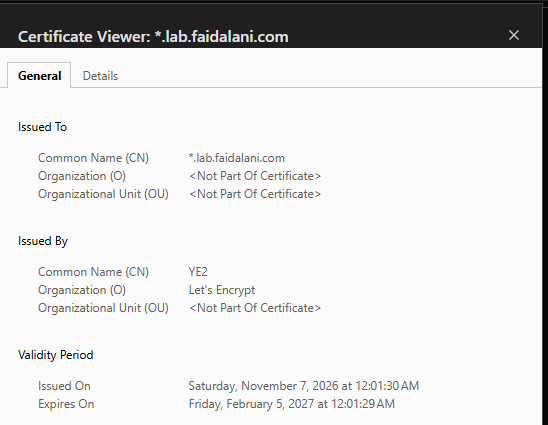
After Phase 1, every service in my lab had its own http://IP:port address, and every login crossed the network in plain text. Phase 2 starts with Nginx Proxy Manager, a reverse proxy: the browser talks only to it, and it forwards each request to the right service based on the name. Now 192.168.50.102:3001 is https://uptime.lab.faidalani.com, with a padlock every browser trusts.
Why it's worth running
- Encrypted logins. AdGuard, Uptime Kuma and Proxmox passwords no longer travel the LAN in plain text.
- No warnings to click through. A trusted certificate means I never train myself to ignore browser warnings.
- Ready for what's next. Vaultwarden, my next build, needs HTTPS to work at all.
The security parts
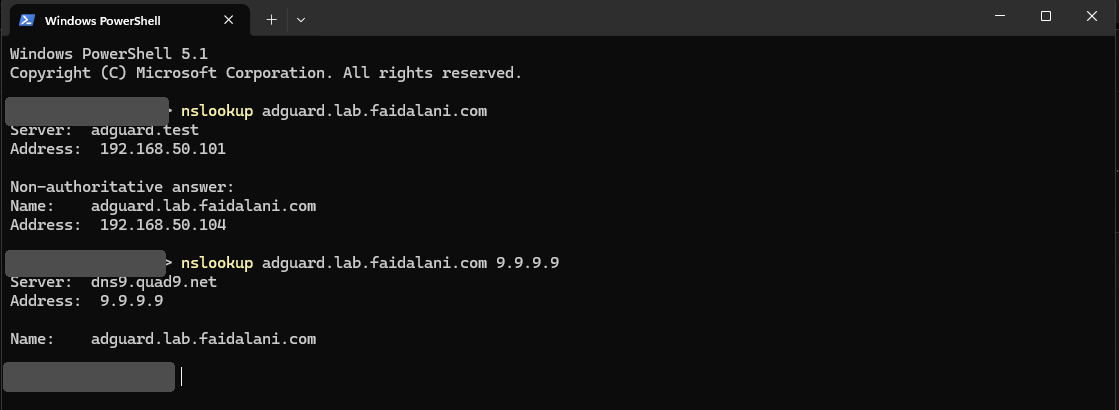
- Proving the domain without opening doors. The usual Let's Encrypt check connects to port 80 on your public IP. I used the DNS challenge instead: NPM creates a temporary TXT record through Cloudflare's API, Let's Encrypt reads it, and the record is deleted. My router stays closed.
- A token that can only do one thing. The Cloudflare token can edit DNS on one zone and nothing else. My account already had an auto-created token with 27 permissions. Using it would have been easier and far riskier, especially since NPM stores the token in plain text.
- Public certificate, private names. Every public certificate lands in Certificate Transparency logs that anyone can search. One wildcard reveals only
*.lab.faidalani.com, not each service. No public DNS records exist for the lab: AdGuard answers for those names at home, and Tailscale split DNS sends them to AdGuard from anywhere.
The bugs worth sharing
- Proxmox looped forever. Its web UI only speaks HTTPS, so forwarding to it over HTTP caused a redirect loop. The fix was one dropdown: scheme
https. - The console timed out. Proxmox loaded, but container consoles stayed blank. Consoles run over WebSockets, which the proxy drops unless you turn them on.
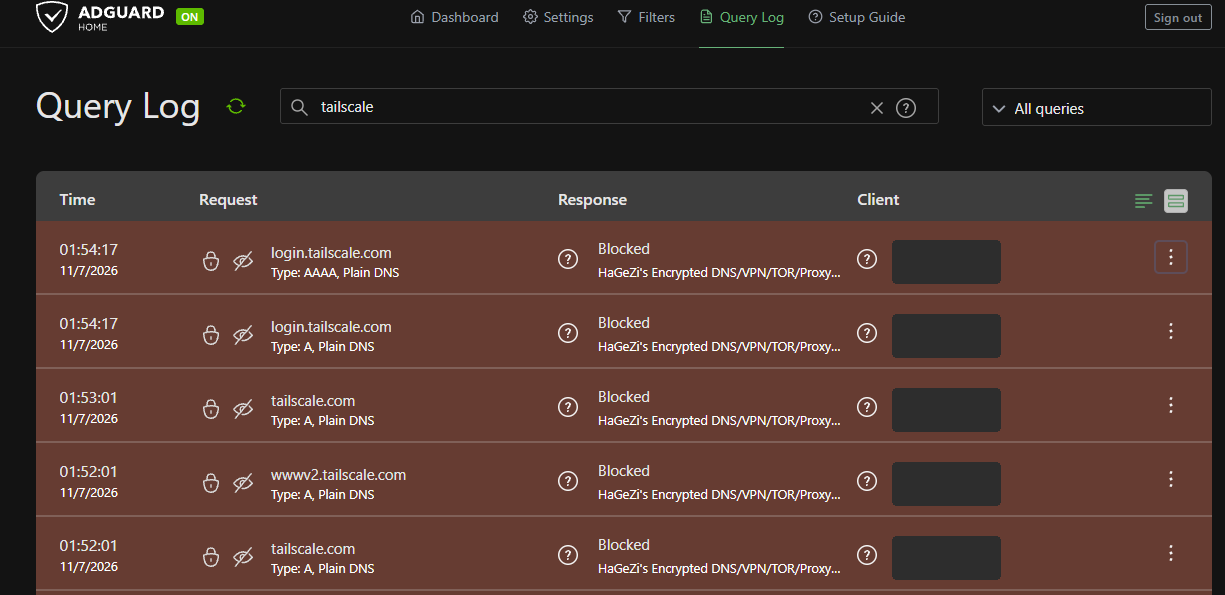
- My own blocklist blocked Tailscale.
tailscale.comsuddenly "didn't exist". AdGuard's query log showed why: a HaGeZi list I'd added blocks VPNs so devices can't bypass DNS filtering, and Tailscale is a VPN. One exception rule,@@||tailscale.com^, fixed it without dropping the list. Is it an outage or our own control? The logs answer that in seconds.
Known gaps
The hop from the proxy to each service is still plain HTTP on my LAN, and the services can still be reached directly by IP. The OPNsense firewall coming later will allow those admin ports only from the proxy. NPM access lists and a certificate-expiry alert are also on the list.
The full walkthrough, every setting and every screenshot are on GitHub.
Read the full write-up →