> homelab · build 04
One Page for the Whole Lab
A Homepage dashboard with live stats from every service, a read-only API token, and a ".jpg" that turned out to be a web page.
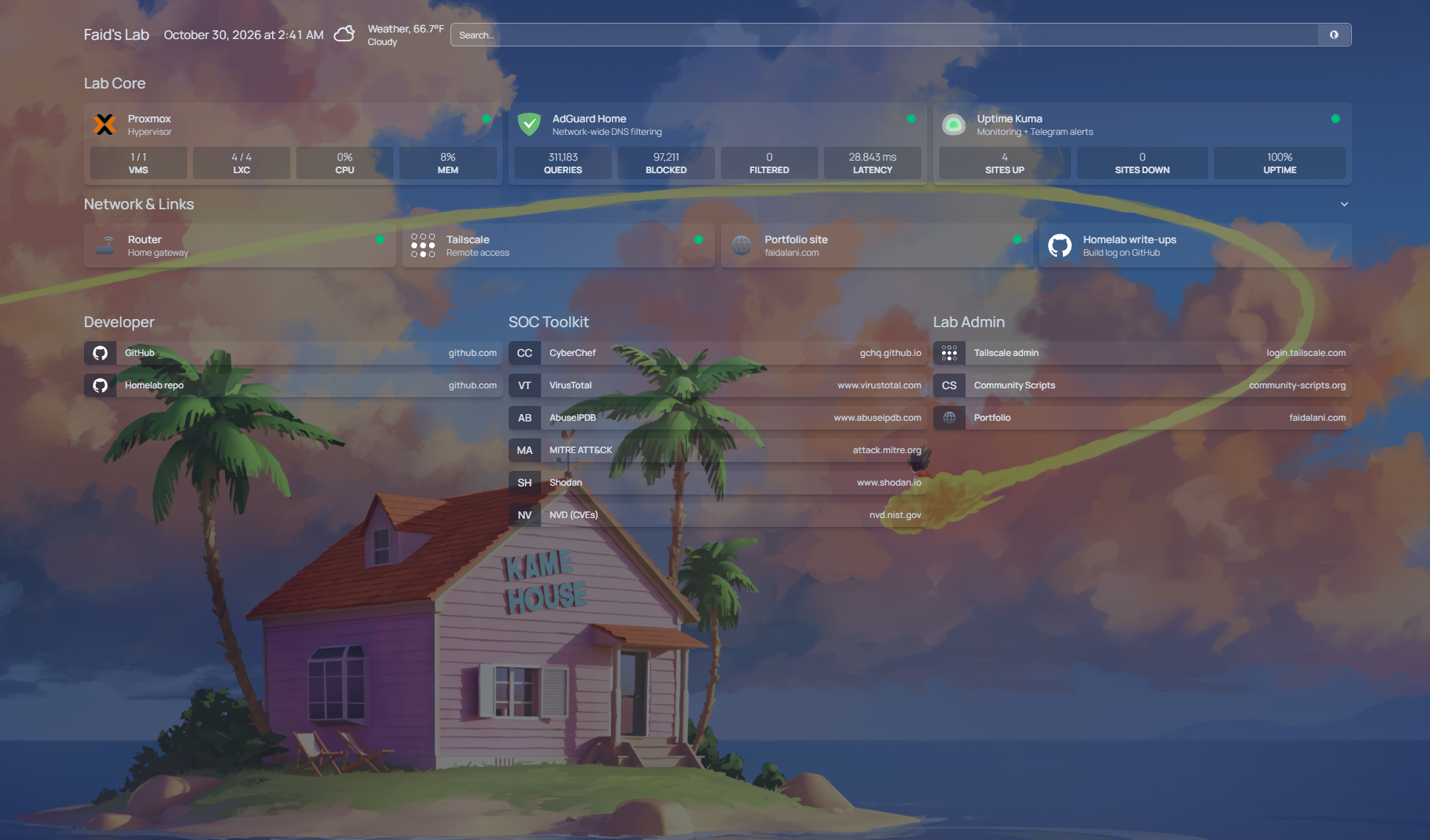
After three builds I had four web interfaces on four different addresses. The last piece of Phase 1 puts them all on one page. Homepage is an open-source dashboard configured with YAML files, and it pulls live numbers from each service's API.
Why it's worth running
- Health at a glance. Uptime Kuma alerts me when something breaks. Homepage gives the overview: what's running, how busy it is, what DNS is blocking.
- Config as code. The whole dashboard is four YAML files, committed to GitHub. Rebuilding it is copy and paste.
- Real security habits. Building it meant scoping an API token, keeping secrets out of files I share, and locking down permissions.
The security parts
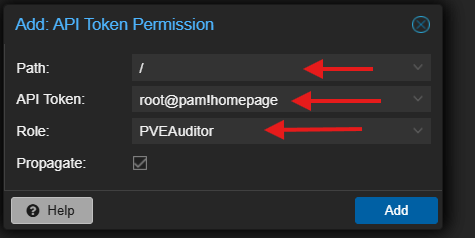
- A token that can only read. The Proxmox widget doesn't get my root password. It gets an API token with privilege separation and the PVEAuditor role, so it can view stats but can't start, stop or change anything.
- Secrets live in one file. The YAML only holds placeholders like
{{HOMEPAGE_VAR_ADGUARD_PASS}}. Real values go in a.envfile that only root can read. That's why the config can be public on GitHub.
The bugs worth sharing
- "HTTP Error" meant a wrong password. The AdGuard tile gave no detail. The log and a one-line
curlshowed the real cause. - My old lab haunted the new one. Saved install defaults survived the wipe and still pointed DNS at an IP that no longer existed. The installer's diff caught it.
- Linux is case-sensitive. I edited
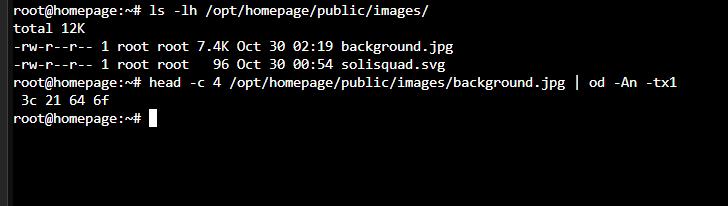
Widgets.yaml. Homepage readswidgets.yaml. - The picture that wasn't a picture. My background downloaded as a 7 KB "jpg". Its first four bytes were
3c 21 64 6f:<!do, the start of a web page. A real JPEG starts withff d8 ff. Checking file signatures instead of trusting names is the same habit used in malware triage.
Known gaps
The dashboard has no login yet and runs over plain HTTP, so it stays on my LAN and Tailscale. Homepage v2 has optional built-in authentication, and Nginx Proxy Manager (the next phase) adds HTTPS. Both are on the list.
The full walkthrough, the real config files and every screenshot are on GitHub.
Read the full write-up →