> homelab · build 02
One DNS Server, Every Device Filtered
AdGuard Home in a Proxmox container with encrypted upstreams, and why its "41% blocked" headline needed a second look.
Second piece of my lab rebuild: a DNS server that blocks ads, trackers and known-malicious domains for every device in the house, with nothing installed on the devices themselves. For a security lab it does a second job too. Every DNS lookup on the network lands in one log I can search.
What I built
| Item | Setup |
|---|---|
| Container | Unprivileged Debian 13 LXC, 1 vCPU, 512 MB RAM |
| Deployment | Proxmox community helper script, Advanced Install |
| Coverage | Whole network, handed out by the router over DHCP |
| Upstreams | Quad9 (malware-filtered) + Cloudflare, both encrypted (DoH) |
| Blocklists | Three maintained lists, not twenty |
Three decisions that mattered
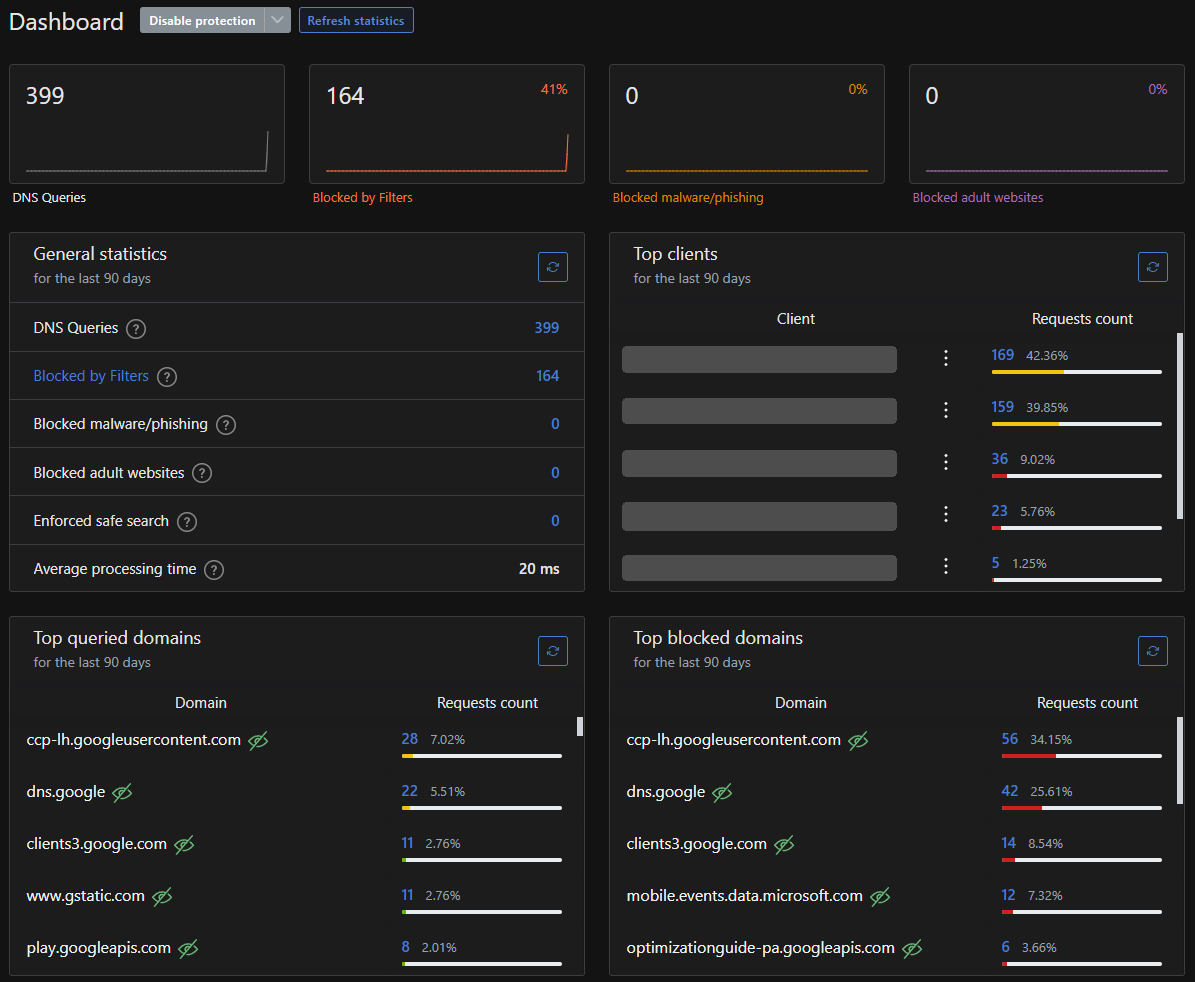
- TUN/TAP: no. My Tailscale container needed the TUN device. A DNS server doesn't, so it doesn't get one. Same question, opposite answer, decided by what the service actually does.
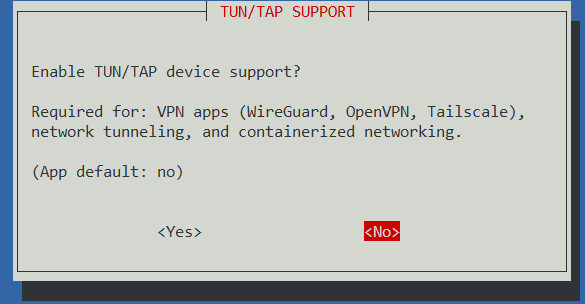
- I checked the default upstream. AdGuard already sends lookups out encrypted, but by default to Quad9's unfiltered service. I switched to Quad9's malware-blocking resolver plus Cloudflare.
- Three blocklists, not twenty. More lists means more broken sites and little extra coverage.
What "41% blocked" really means
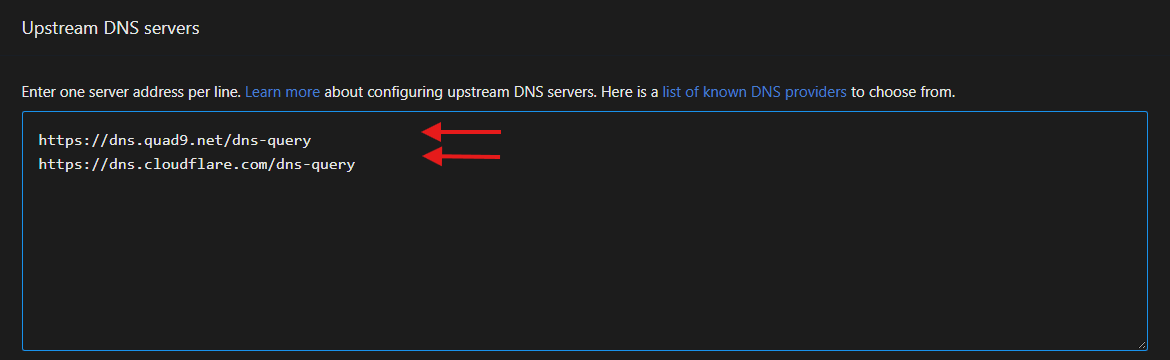
The headline number looked great, so I read it the way I'd read an alert:
- Most of it is telemetry, not ads. About 80% of the blocks came from just five Google and Microsoft background domains that retry constantly. It's also a small sample right after setup.
- One block is a security win.
dns.googleis Google's own encrypted DNS. Blocking it stops devices from quietly going around AdGuard. - The stats mix old and new. The top upstream is still the default I replaced, because the counts include queries from before the change.
Known gaps
- The admin page is plain HTTP. Fine on my own LAN for now. A reverse proxy with HTTPS is coming later in the build.
- It's a single point of failure. If this container stops, the house loses DNS. Uptime Kuma, the next build, will tell me when that happens.
The full walkthrough, every setting and all 25 screenshots are on GitHub.
Read the full write-up →